
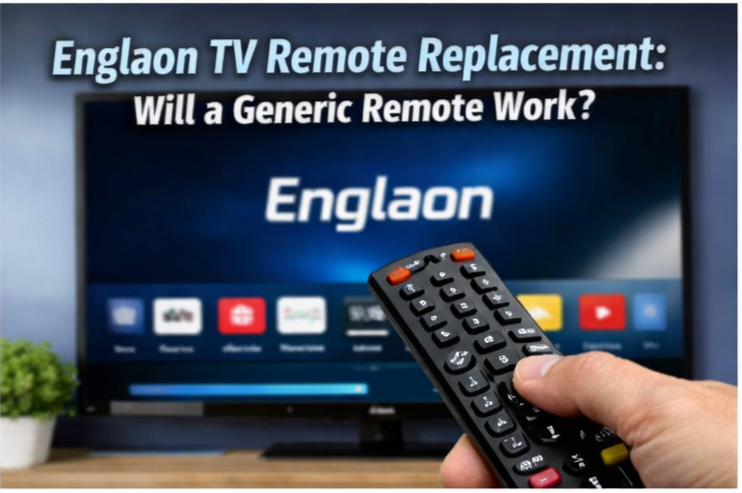
Englaon TV Remote Replacement: Will a Generic Remote Work?
Lost or broken your Englaon TV remote? You're not alone — it's a common question in caravan groups, and there's a bit of confusion around whether a generic remote will work.
Here's what you need to know.
Will a Generic Universal Remote Work?
It depends on your Englaon model.
Older Englaon TVs (non-smart models and earlier LED series) use standard infrared (IR) remotes. A generic universal remote programmed to the right code may work for basic functions like power, volume, and channel changing.
However, newer Englaon smart TVs — particularly the X70, X80, X90, and X90Pro series — use Bluetooth remotes with voice control and Google Assistant. A standard IR universal remote will not pair with these TVs because they communicate over Bluetooth, not infrared.
This is likely why you've been told a generic remote won't connect — if you have a newer smart model, that's correct.
Genuine Englaon Replacement Remotes
Planning your next road trip?
KamperHub helps you plan routes, track weights, and travel with confidence. Free to use — no credit card required.
Get Started FreeEnglaon sells replacement remotes directly through their website at englaon.com.au. They're model-specific, so you need to match the remote to your TV.
Available Remotes (all $49.95 AUD)
| Remote | Compatible Models |
|---|---|
| LED TV Remote (General) | LED22M60, LED24M30, LED24M80, LED24X80, LED27M80, LED32M10, LED32M80 |
| Android TV Remote | LED22M60, LED24M80, LED24X80, LED27M80, LED32M80 (Android 11) |
| X70 Series Remote | LED24X70 and X70 series |
| X90 Series Google TV Remote | LED24X90, LED32X90, LED40X90 (not LED25X90 or LED27X90) |
| Waterproof TV Remote | LED19M10, LED24M10, LED32M10 |
| Waterproof Smart TV Remote | LED24M50, LED32M50 |
Heads up: Many of these remotes are frequently backordered on the Englaon website. If yours is out of stock, contact them directly — they may have stock coming or be able to suggest an alternative.
Englaon Contact Details
- Phone: 03 9877 7318
- Email: service@englaon.com.au
Third-Party Alternative: RemoteOZ
RemoteOZ sells a generic replacement remote for some Englaon models. They list a "Remote Control for ENGLAON LED24X70 Smart TV Replacement" with free shipping. It's described as a TCL universal remote configured for Englaon.
This may work for basic IR functions on compatible models, but it's unlikely to support Bluetooth pairing, voice control, or all smart TV features on newer models.
Use Your Phone as a Remote (Free Workaround)
If you're stuck without a remote, most Englaon smart TVs have built-in Chromecast. This means you can control the TV using your phone:
- Make sure your phone and the TV are on the same Wi-Fi network
- Open the Google Home app on your phone
- The TV should appear as a device — tap it to control playback, volume, and power
- You can also cast content directly from apps like YouTube, Netflix, and Stan
For Android TVs (X70, X80 series), you can also download the Android TV Remote Control app from the Google Play Store, which gives you a virtual remote with directional pad, keyboard input, and voice search.
This is a great short-term fix while you wait for a replacement remote to arrive.
Quick Troubleshooting: Is Your Remote Actually Dead?
Before ordering a replacement, try these:
- Replace the batteries — seems obvious, but flat batteries are the most common cause
- Check the IR signal — open your phone's camera, point the remote at it, and press any button. If you see a flash of light through the camera, the remote is transmitting (the issue may be the TV's IR receiver)
- Re-pair Bluetooth remotes — newer remotes sometimes lose their Bluetooth pairing. Check your TV's settings menu for a "pair remote" option
- Try a hard reset — unplug the TV from power for 30 seconds, then plug it back in and try the remote again
The Bottom Line
| Situation | Best Option |
|---|---|
| Older non-smart Englaon (M series) | Generic universal remote may work ($15-$30) |
| Smart TV (X70, X80, Android models) | Genuine Englaon remote ($49.95) or phone app |
| Google TV (X90, X90Pro) | Genuine Englaon remote ($49.95) or Google Home app |
| Remote lost while travelling | Use phone as remote via Chromecast/Google Home |
For $49.95, the genuine Englaon remote is the safest bet — it's guaranteed to work with your specific model and gives you all the features including voice control on smart models.
If you're unsure which remote you need, call Englaon on 03 9877 7318 with your TV model number (printed on the back of the TV) and they'll point you to the right one.
Useful Resources
Join the Conversation
Found this helpful? Try KamperHub — it's free
Weight tracking, trip planning, and towing compliance — all in one app.
KamperHub Team
Helping travellers tow safely and confidently. KamperHub provides tools for trip planning, weight compliance, and adventure management.
Plan Your Next Caravan Adventure with KamperHub
Trip planning, weight tracking, fuel management, and more. Everything you need for safe and confident towing.
Get Started Free